
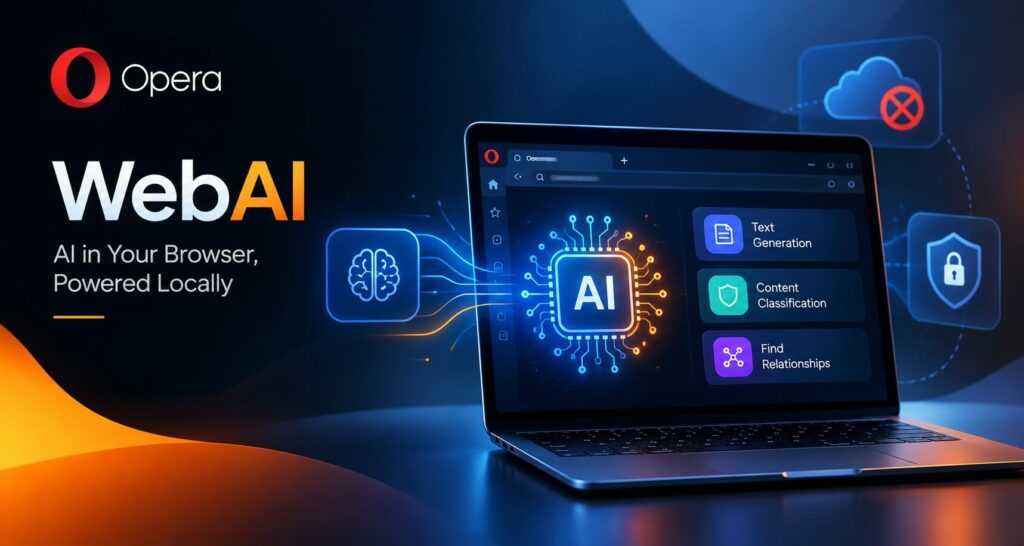
Opera WebAI
TL;DR
• Opera introduced WebAI, a proposed web standard for running AI models locally in browsers.
• WebAI enables supported websites and extensions to use on-device AI for text generation, classification, and semantic analysis.
• Local AI can improve data privacy and reduce dependence on cloud-based AI services.
• Hardware compatibility, performance, and security remain important challenges.
• WebAI could help developers build smarter, more efficient browser-based applications.
Artificial intelligence is becoming an essential part of modern web experiences, from automated content creation to intelligent search and personalized recommendations. However, many AI-powered features depend on cloud servers, external APIs, and recurring subscription costs. Opera is introducing a different approach with WebAI, a proposed web standard designed to let websites and browser extensions use AI models running directly on a user’s computer.
Announced in October 2026, WebAI brings local AI processing into the browser, giving developers new ways to build intelligent web applications while reducing dependence on cloud-based AI services. The initiative could make browser-based AI more accessible, improve control over personal data, and create new opportunities for businesses developing AI-powered digital products.
The technology is currently available as an early preview, so its broader impact will depend on browser adoption, device capabilities, and developer participation.
What Is Opera WebAI?
WebAI is a proposed web standard that allows websites and browser extensions to access compatible AI models through the browser. Instead of sending every AI request to a remote server, supported applications can process certain tasks locally on a user’s device.
The approach builds on the growing availability of open-weight AI models and improvements in consumer computer hardware. These developments make it increasingly practical to run selected AI workloads without relying entirely on large cloud infrastructure.
Opera’s implementation supports compatible models, including Google’s Gemma and Apple’s on-device foundation model on supported Macs. It is designed to accommodate different models rather than locking developers into one AI provider.
WebAI is not itself an AI model. It provides browser-level access to AI capabilities that developers can use to create new features and applications.
According to Opera’s announcement, the initial capabilities include text generation, content classification, and identifying relationships between pieces of information. These functions can support browser extensions and web applications that understand the content users are viewing.
For businesses exploring AI integration solutions, WebAI represents another way to bring intelligence into digital products without necessarily building a separate cloud-based AI infrastructure for every feature.
How Does Local AI Processing Work?
Traditional cloud-based AI applications generally send a prompt or relevant information to a remote service. That service processes the request using its computing resources and returns a response to the application.
Local AI follows a different process. A compatible model runs on the user’s own computer, using available memory, processing power, and other hardware resources.
With WebAI, the browser provides an interface that websites and extensions can use to access supported local models. Developers can build AI-powered experiences around these capabilities without requiring users to configure a separate local inference server or obtain an external AI API key for every application.
The process can be understood in four stages:
- Enable the feature: The user opts into WebAI through the supported browser’s settings.
- Download a compatible model: The browser obtains the required model after the user enables the feature.
- Request local processing: A permitted website or extension uses the available AI capabilities for a supported task.
- Receive the result: The model processes the input on the device and returns a result to the application.
This architecture can reduce the need to transmit content to an external AI provider. However, it does not automatically prevent websites or extensions from collecting information through other mechanisms.
WebAI is an early preview rather than a universally available web standard. Developers should therefore check current browser support and compatibility before designing products around it.
Why Running AI Models Locally Matters
1. Better Control Over Personal Data
Privacy is one of the strongest reasons to explore on-device AI. People increasingly use AI tools to summarize documents, organize information, analyze web pages, and complete everyday tasks. Depending on the application, this information may contain personal details, confidential business content, or sensitive browsing context.
When a task is processed locally, the application may not need to send the relevant content to an external AI inference service. This can reduce one potential source of data exposure.
For businesses, local AI could be useful for browser-based productivity tools, internal knowledge utilities, and applications that work with information users prefer to keep on their devices.
Nevertheless, local processing is not a complete privacy solution. Developers must still consider website permissions, extension access, telemetry, storage practices, malicious prompts, and any separate network requests made by their applications.
2. Lower Costs for Developers
Cloud AI services often charge according to usage, model size, or the number of requests. Applications with large numbers of active users can accumulate substantial inference costs as adoption grows.
WebAI offers developers another option for supported tasks. If the user’s computer handles the inference, developers may reduce the need to pay a cloud provider for every request processed locally.
This could be especially valuable for independent developers, startups, and small businesses creating lightweight AI features. Browser extensions that classify articles, summarize text, or organize information may not require a dedicated cloud AI service for every interaction.
However, local AI does not eliminate every expense. Developers must still account for software development, testing, compatibility, security, maintenance, and user support. More complex AI tasks may continue to require cloud infrastructure or specialized hardware.
Businesses planning custom digital products can explore software development solutions to evaluate how local models, cloud AI, and conventional application logic might work together.
3. Greater Flexibility Through Open-Weight Models
Open-weight AI models provide developers with access to model parameters that can be downloaded and used under the applicable license. This can offer more flexibility than relying exclusively on a single hosted AI service.
Opera’s WebAI approach is designed to support compatible models from different sources. Google’s Gemma is one example, while Apple’s on-device foundation model is available on supported Macs.
Model choice matters because AI applications have different requirements. A lightweight model may be suitable for text classification or short summaries, while a more capable model may be necessary for complex reasoning.
Open-weight does not automatically mean fully open-source, unrestricted commercial use, or unrestricted modification. Developers should review each model’s license, usage conditions, and technical limitations before integrating it into a product.
4. New Opportunities for Browser Extensions
Browser extensions are a natural starting point for local AI because they operate close to the content people already use online.
Developers could build tools that:
- Summarize long articles directly in the browser.
- Identify important paragraphs based on a user’s research interests.
- Classify emails, web pages, or other text into useful categories.
- Organize open tabs according to topics or projects.
- Highlight potentially misleading headlines for further review.
- Create quizzes and study notes from educational material.
- Find semantically related information in saved content.
These are potential use cases rather than guarantees that every feature is already available. Their feasibility depends on the capabilities of the model, the browser APIs, the extension’s permissions, and the device’s performance.
WebAI could make these experiences easier to develop by giving developers a browser-based route to local inference.
WebAI’s Main Capabilities for Developers
Opera’s initial implementation introduces APIs intended to support different categories of AI tasks.
Prompt API: Enables text generation and related language-model interactions. Developers can use such capabilities to create writing assistants, conversational interfaces, and other text-based tools.
Decision API: Supports classification and structured decisions about input content. Possible applications include sorting information, categorizing articles, and identifying whether text matches predefined criteria.
Semantic Embeddings API: Helps represent text in a way that makes relationships in meaning easier to compare. Developers could use this capability to identify related passages, group similar content, or support semantic search experiences.
Together, these capabilities provide building blocks for browser-based AI applications. They do not replace the need for thoughtful interface design, accurate evaluation, secure data handling, or clear user consent.
For teams developing AI and machine learning solutions, these capabilities also illustrate how AI functionality can be distributed across the browser, application backend, and cloud infrastructure instead of depending on one processing model.
How WebAI Could Change the User Experience
The browser is often the starting point for work, education, shopping, communication, and research. Adding local AI capabilities could make it easier for users to interact intelligently with the content already on their screens.
Imagine reading a lengthy industry report and asking a browser extension to identify the sections relevant to a current project. A locally running model could analyze the text and highlight useful passages without sending every request to a remote AI service.
A student could generate practice questions from an article. A researcher could group related passages from multiple documents. A professional could use an extension to prioritize job listings or organize information across open tabs.
These tools could make AI feel less like a separate destination and more like a built-in feature of everyday browsing.
Local processing may also reduce network dependency for supported tasks after the model has been downloaded. However, the initial download still requires a connection, and local inference speed depends on the model and hardware. Users should not assume that every AI feature will work offline or respond faster than a cloud service.
Hardware Requirements and Performance Limitations
Running AI models locally offers several advantages, but it also transfers computational demands to the user’s device.
Model inference can consume system memory, processor resources, and battery power. Larger models may require more resources than a typical laptop can comfortably provide. Even when a device can run a model, response times may vary depending on its hardware and what else is running.
At the time of the initial preview, WebAI supports 64-bit Windows PCs with Intel or AMD processors and Macs powered by Apple silicon. Intel-based Macs, Linux systems, and Windows on Arm are not included in the stated initial support.
The preview is opt-in, meaning users must enable the feature before a compatible model is downloaded. Website-specific permissions also give users control over which sites can access local AI capabilities.
For developers, these limitations make performance testing important. An application designed around a single powerful computer may behave differently on a lower-specification laptop. Teams should consider model size, memory usage, response time, battery impact, accessibility, and fallback options.
A cloud-based alternative may remain necessary for users whose devices cannot run the required model efficiently.
Security and Privacy Challenges to Consider
Local AI can reduce the amount of data sent to third-party AI services, but it does not eliminate security risks.
A malicious website or browser extension could attempt to misuse available permissions, manipulate a model through hidden instructions, or expose information through other parts of its code. AI-generated output can also contain mistakes, misleading claims, or inappropriate recommendations.
Organizations adopting browser-based AI should establish clear controls for extension installation, website permissions, data access, and software updates. They should also assess whether the model is suitable for the task and whether its output needs human review.
For enterprise environments, administrators may need policies governing which browser extensions employees can use and what information those tools may process. Local inference can change where AI processing occurs, but it does not remove the need for endpoint security and responsible AI governance.
The safest approach is to treat local AI as one component of a broader security strategy rather than a guarantee of complete privacy.
What WebAI Means for the Future of Web Development
WebAI points toward a web in which AI capabilities can be embedded into websites and extensions through browser-provided interfaces.
If similar APIs gain broader adoption, developers could build more portable AI features without creating a separate integration for every hosted model provider. Standardized browser access could also make experimentation more accessible to small teams that lack the budget to operate large AI systems.
However, broader adoption is not guaranteed. WebAI is a proposed standard, and its long-term influence will depend on implementation quality, browser support, developer demand, model compatibility, and the evolution of web standards.
Businesses should also recognize that local and cloud AI are not mutually exclusive. A hybrid architecture may prove more practical: use local models for privacy-sensitive or lightweight tasks, and cloud models when applications need greater reasoning capabilities, larger context windows, or centralized processing.
For companies building new digital platforms, the key question is not simply whether AI can run locally. It is which tasks benefit from local processing, which require cloud infrastructure, and how both approaches can deliver a secure, reliable user experience.
Conclusion
Opera’s WebAI initiative marks an important development in the evolution of browser-based artificial intelligence. By enabling websites and extensions to access compatible models running on users’ devices, it creates new possibilities for private-by-design features, lower per-request inference costs, and more flexible web applications.
The technology is still in its early stages, with hardware restrictions, security considerations, and broader browser adoption remaining important challenges. Nevertheless, local AI could become a useful complement to cloud-based systems as models become more efficient and everyday computers become more capable.
For developers and businesses, the opportunity lies in choosing the right architecture for each task. A combination of local inference, cloud AI, and secure application engineering may help deliver intelligent digital experiences without unnecessary infrastructure costs or data transfers.
As browser capabilities continue to evolve, local AI is worth watching as a potential foundation for the next generation of intelligent web applications.
Frequently Asked Questions
What is Opera WebAI?
Opera WebAI is a proposed web standard that allows supported websites and browser extensions to access compatible AI models running locally on a user's device.
How does WebAI improve privacy?
WebAI can process supported AI tasks on the user's device, reducing the need to send prompts and content to external AI services. However, privacy also depends on the website's permissions and data-handling practices.
Which AI models does Opera WebAI support?
Opera's initial implementation includes support for compatible models such as Google's Gemma and Apple's on-device foundation model on supported Macs. Model availability depends on the device and implementation.
What are the benefits of running AI models locally in a browser?
Local AI can reduce reliance on cloud services, potentially lower inference costs, improve control over data, and enable AI-powered browser extensions and web applications.
Is Opera WebAI available on every computer?
No. The initial preview has hardware and operating system restrictions. Users should check current browser compatibility and system requirements before enabling the feature.