
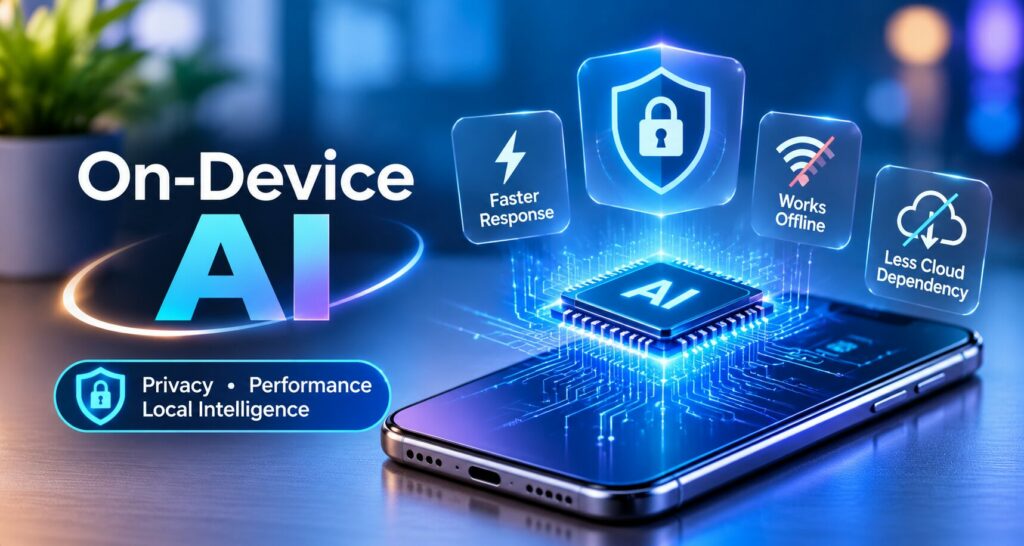
On-Device AI
TL;DR
• On-device AI processes data directly on smartphones, laptops, and other devices.
• Local AI improves privacy by reducing unnecessary data sharing.
• On-device models can deliver faster responses and offline functionality.
• Businesses use local AI for mobile apps, voice assistants, image recognition, and fraud detection.
• Hybrid AI combines local processing with cloud intelligence for better performance and scalability.
Artificial intelligence is becoming an essential part of modern digital experiences, from mobile applications and smart devices to enterprise software and automated business systems. As AI technology continues to evolve, businesses are exploring ways to make intelligent applications faster, more secure, and less dependent on cloud infrastructure. One of the most significant developments in this transformation is On-Device AI.
Unlike traditional AI systems that rely heavily on remote servers, on-device AI models process information directly on smartphones, laptops, tablets, and other compatible devices. This approach can improve response times, reduce unnecessary data transmission, and support AI functionality even when an internet connection is unavailable.
In 2026, the growing interest in local AI processing is creating new opportunities for businesses, developers, and technology innovators. From intelligent mobile applications to privacy-focused enterprise solutions, on-device AI is changing how organizations approach AI development.
Businesses exploring AI technology updates and innovations can follow this emerging trend to understand how local intelligence is influencing the future of software development.
What Is On-Device AI?
On-Device AI refers to artificial intelligence models that operate directly on a user’s device instead of depending entirely on cloud-based computing infrastructure. These models analyze data, generate predictions, recognize patterns, and perform specific AI tasks using the device’s available processing resources.
For example, a smartphone may use an AI model to recognize speech, classify images, summarize text, or detect suspicious messages without sending all the information to an external server.
On-device AI typically relies on optimized machine learning models, lightweight large language models (LLMs), neural processing units (NPUs), and other hardware acceleration technologies.
The process generally involves four steps:
- Input Collection: The application receives text, images, audio, or other information.
- Local Processing: The AI model analyzes the input directly on the device.
- Result Generation: The model produces a prediction, classification, summary, or response.
- Data Management: The application determines whether the processed information needs to be stored or transmitted.
Although some local AI tasks can operate offline, applications may still require internet connectivity for model updates, external data retrieval, or advanced cloud-based operations.
Why On-Device AI Is Becoming Important in 2026
Businesses are increasingly interested in AI systems that deliver better performance while reducing unnecessary data sharing. On-device AI addresses several practical challenges associated with conventional cloud-based AI applications.
1. Improved Data Privacy
Privacy is one of the most important advantages of local AI processing. Traditional AI applications may transmit user inputs to remote servers for processing. This can create additional concerns when applications handle sensitive business documents, personal messages, financial information, or confidential customer data.
With on-device AI, supported tasks can be completed locally, reducing the need to transmit raw information to external services.
For example, a mobile application could analyze a private message for suspicious patterns without uploading the entire conversation.
However, local processing does not automatically guarantee complete security. Applications still need appropriate access controls, encrypted storage, secure updates, and transparent data-handling policies.
2. Faster AI Responses
Cloud-based AI applications often depend on network connectivity and remote server response times. On-device AI can eliminate the network round trip for supported tasks.
This can provide faster responses in applications such as voice assistants, image recognition tools, and intelligent keyboard systems.
For users, reduced latency can create a smoother and more responsive digital experience. For businesses, faster interactions may improve application usability and customer satisfaction.
Actual performance depends on the model size, hardware capabilities, input complexity, and implementation quality.
3. Offline AI Functionality
Another important benefit of local AI models is their ability to operate without a continuous internet connection.
Applications can perform selected tasks even in areas with limited connectivity. This capability can be useful for field workers, travelers, remote businesses, and mobile applications that require reliable access to AI features.
For instance, a local speech recognition model may allow users to interact with an application through voice commands without depending on cloud connectivity.
4. Reduced Cloud Dependency
Running suitable AI workloads locally can reduce the number of requests sent to remote AI infrastructure.
This may help businesses manage cloud usage costs, reduce bandwidth requirements, and improve application independence.
Nevertheless, organizations must consider other expenses, including model optimization, hardware compatibility testing, application development, and ongoing maintenance.
Major Business Applications of On-Device AI
On-device AI is expanding into multiple industries. Its effectiveness depends on selecting tasks that can be performed accurately within the limitations of the available hardware.
Intelligent Mobile Applications
Mobile applications are becoming more intelligent through local AI capabilities. Developers can integrate AI features such as predictive text, personalized recommendations, image analysis, and conversational interfaces.
For example, a mobile productivity application may use an on-device language model to summarize notes or organize tasks.
This approach can reduce unnecessary data transmission while delivering faster interactions.
Businesses looking to create intelligent mobile experiences can explore custom software development solutions that integrate AI capabilities into modern applications.
AI-Powered Voice Assistants
Voice assistants are increasingly capable of processing commands locally. On-device speech recognition and language processing can help applications understand basic instructions without sending every voice recording to cloud servers.
Potential applications include:
- Voice-controlled mobile applications
- Smart home command processing
- Offline speech recognition
- Voice-based accessibility features
- Local transcription and voice interaction
These capabilities can improve responsiveness while providing users with greater control over their voice data.
Image Recognition and Computer Vision
On-device AI is also useful for computer vision applications. Compatible devices can process images locally to identify objects, detect patterns, and classify visual information.
Businesses may use local image recognition for quality inspection, product identification, document scanning, and visual search.
For example, a retail application could recognize a product through a smartphone camera and provide relevant information without uploading the entire image to a remote AI service.
Fraud and Scam Detection
Local AI models can help identify potentially suspicious messages, fraudulent patterns, or unusual activities.
Specialized models can analyze message content and flag potential risks directly on the device. This may be particularly useful for privacy-sensitive communication applications.
However, fraud detection systems must be carefully tested to minimize false positives and false negatives.
Healthcare and Personal Wellness Applications
Healthcare applications may use on-device AI for selected tasks such as activity analysis, speech processing, image classification, and personalized wellness insights.
Local processing can reduce the amount of sensitive information shared externally.
Any healthcare-related AI application must also consider data protection, accuracy, regulatory requirements, and appropriate professional oversight.
On-Device AI vs. Cloud AI
Both local and cloud-based AI offer advantages. The right approach depends on application requirements, available resources, and the complexity of the task.
| Feature | On-Device AI | Cloud AI |
| Processing location | User’s device | Remote servers |
| Data privacy | Can reduce external data sharing | Data may be sent to cloud services |
| Response time | Can avoid network latency | Depends on network and server performance |
| Internet dependency | Offline support for selected tasks | Usually requires connectivity |
| Model capability | Limited by device resources | Can use larger, more powerful models |
| Operating costs | Optimization and device maintenance | Hosting and model usage costs |
| Updates | May require device-side updates | Often centrally managed |
| Best applications | Local, lightweight, privacy-sensitive tasks | Complex reasoning and large-scale workloads |
Neither approach is universally better. Businesses should evaluate both options based on the application’s functionality, security requirements, and expected performance.
The Rise of Hybrid AI Architecture
In 2026, hybrid AI architecture is becoming an important design consideration for organizations developing intelligent applications.
A hybrid AI system combines on-device processing with cloud-based intelligence. This allows applications to use local models for suitable tasks while relying on cloud infrastructure for more complex operations.
For example, a business application may use a local AI model to classify documents and extract basic information. When a document requires deeper analysis or access to centralized company records, the application can use a cloud-based model.
A hybrid workflow may include:
- Processing simple inputs locally
- Identifying complex or uncertain requests
- Sending only permitted information to cloud services
- Generating advanced responses through larger AI models
- Validating results before completing business operations
This architecture can balance privacy, performance, and advanced AI capabilities. However, it requires careful planning, secure data routing, and appropriate fallback mechanisms.
Challenges of On-Device AI Implementation
Despite its advantages, on-device AI introduces several technical challenges that businesses must address.
Hardware Limitations
Not every device has sufficient memory or processing power to run advanced AI models. Developers need to select models that work efficiently on the hardware supported by their applications.
Model Optimization
AI models may require compression, quantization, or other optimization techniques to reduce memory usage and improve inference speed.
These techniques can improve efficiency, but developers must evaluate whether they affect model accuracy.
Battery Consumption
Continuous AI processing can increase energy consumption, particularly on mobile devices.
Developers should optimize model execution and test battery usage under realistic conditions.
Device Compatibility
Applications may need to support different operating systems, chipsets, memory configurations, and hardware acceleration capabilities.
Thorough testing is necessary to provide consistent performance across devices.
Security and Model Maintenance
Local models still require secure deployment, updates, and monitoring. Businesses must ensure that model files, application permissions, and locally stored data are protected against unauthorized access.
The Future of On-Device AI in Business Applications
The future of on-device AI is closely connected to advancements in mobile processors, lightweight language models, edge computing, and AI optimization technologies.
As compatible hardware improves, more applications may be able to perform sophisticated AI tasks locally. This could expand the adoption of intelligent assistants, personalized software experiences, offline AI tools, and privacy-focused business applications.
Organizations may also use local AI to improve operational efficiency, reduce unnecessary cloud processing, and create more responsive digital products.
For software developers, this trend introduces new opportunities to build AI-enabled applications that combine local intelligence with cloud infrastructure.
Businesses planning their next generation of digital products should evaluate AI-powered software development solutions to identify how AI capabilities can be integrated into secure, scalable, and user-friendly applications.
Conclusion
On-Device AI in 2026 is becoming an important development in the evolution of artificial intelligence. By processing information directly on compatible devices, local AI models can reduce unnecessary data transmission, improve response times, and enable selected offline functionality.
From mobile applications and voice assistants to image recognition and fraud detection, on-device AI offers new possibilities for businesses seeking efficient and privacy-conscious AI experiences.
However, successful implementation requires careful consideration of model accuracy, hardware limitations, battery consumption, security, and maintenance.
Cloud AI will continue to play an important role in complex applications, while hybrid architectures can combine the benefits of local and remote processing.
As AI technology advances, on-device intelligence is likely to become a valuable component of modern software development, helping businesses create smarter, faster, and more privacy-aware digital solutions.
Frequently Asked Questions
What is On-Device AI?
On-device AI processes artificial intelligence tasks directly on smartphones, laptops, and other compatible devices without relying entirely on cloud servers.
What are the main benefits of On-Device AI?
The main benefits include improved privacy, faster responses, reduced cloud dependency, and offline AI functionality.
How does On-Device AI improve data privacy?
It processes supported information locally, reducing the need to transmit sensitive user data to external servers.
What is the difference between On-Device AI and Cloud AI?
On-device AI runs models locally, while cloud AI processes information on remote servers with access to potentially greater computing resources.
Can On-Device AI work without the internet?
Yes. On-device AI can perform selected tasks offline when the required model and data are available on the device.