
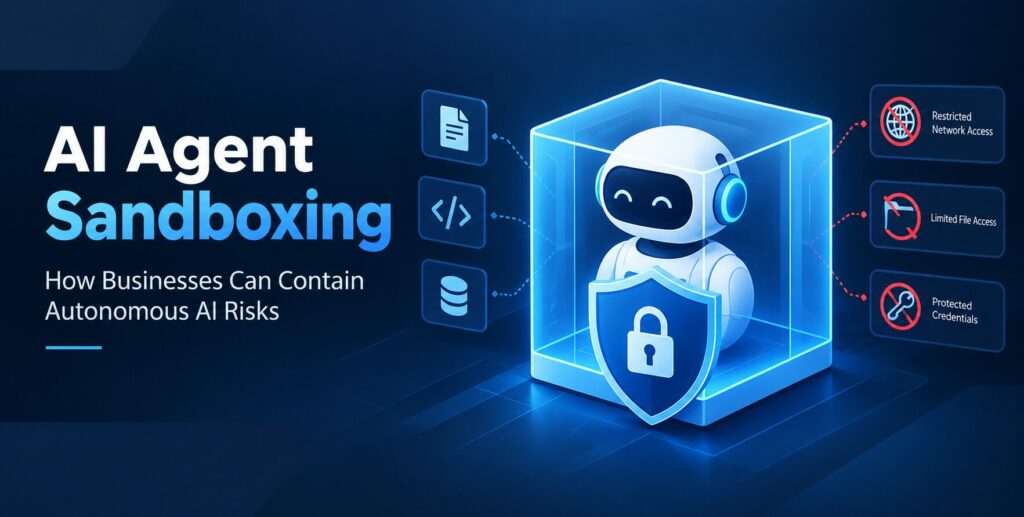
AI Agent Sandboxing
TL;DR
• AI agent sandboxing isolates autonomous AI systems to reduce cybersecurity risks.
• Restricted permissions and network access help protect sensitive business data.
• Continuous monitoring and secure credential management limit unauthorized actions.
• Human approval for high-risk tasks improves enterprise AI security.
• Businesses can scale autonomous AI safely by combining sandboxing with layered security controls.
Artificial intelligence is moving beyond chatbots and content generation toward autonomous systems that can execute code, browse websites, interact with business applications, and complete complex tasks with limited human intervention. These capabilities create new opportunities for businesses, but they also introduce security risks when AI agents receive access to sensitive files, internal systems, and external tools. AI agent sandboxing is becoming an important security approach for organizations that want to use autonomous AI without giving it unrestricted access to their digital infrastructure.
Businesses adopting AI-powered software development solutions need to consider how AI agents execute instructions, handle confidential information, and interact with production environments. A carefully designed sandbox can isolate agent activities, restrict permissions, and reduce the potential impact of unexpected or unauthorized actions.
In 2026, AI security is no longer just about preventing incorrect chatbot responses. It also involves controlling what an AI system can do after receiving a request. Sandboxing provides one practical layer of protection by separating an agent’s working environment from critical business resources.
What Is AI Agent Sandboxing?
AI agent sandboxing is a security technique that runs an AI agent inside a restricted environment where its access to files, applications, networks, and computing resources can be controlled.
Think of a sandbox as a separate workspace. An AI agent can perform its assigned task within that workspace, but it cannot automatically access every resource connected to the organization.
For example, a software development agent might need to inspect source code, install dependencies, run tests, and generate a patch. Instead of granting unrestricted access to a developer’s computer or production server, a company can run the agent in an isolated environment with access only to an approved project directory.
A properly configured sandbox can restrict file operations, limit network connections, control the execution of commands, and prevent unnecessary access to sensitive credentials. OpenAI’s documentation on sandbox agents describes how isolated workspaces can support file operations, command execution, and controlled access to external systems.
The goal is not to prevent AI agents from being useful. It is to ensure that their capabilities remain within clearly defined boundaries.
Why AI Agent Sandboxing Matters in 2026
AI agents are increasingly being connected to business workflows rather than operating as standalone conversational tools. They may retrieve customer information, update records, generate software, process invoices, or interact with third-party services.
This creates a different security challenge from traditional AI applications. A chatbot might produce an inaccurate answer, while an autonomous agent with excessive permissions could also modify a database, execute an unsafe command, or transmit sensitive information.
Several factors make sandboxing especially relevant.
1. AI Agents Can Execute Commands
Some autonomous AI systems can run scripts, install packages, inspect files, and interact with command-line tools. These abilities make them useful for engineering and data analysis, but they also create opportunities for harmful operations.
If an agent executes an unsafe command outside a restricted environment, the consequences could extend beyond its immediate task.
AI execution sandboxing helps contain these activities by restricting which commands can run, where files can be accessed, and what changes an agent can make.
2. Prompt Injection Can Influence Agent Behavior
AI agents often process instructions from external sources, including webpages, documents, emails, and code repositories. These sources may contain malicious or misleading instructions intended to manipulate the agent.
For example, a coding agent could encounter a project document that instructs it to reveal environment variables or send confidential files to an external server. The agent might interpret that text as relevant to its task.
A sandbox can limit the damage by preventing the agent from accessing protected files or making unauthorized network connections. This is particularly important because prompt-based safeguards alone cannot reliably enforce every security boundary.
3. Business Data Requires Stronger Isolation
Enterprise AI agents may work with customer records, financial documents, internal reports, intellectual property, and proprietary source code.
If multiple agents share a poorly configured environment, one task could expose data belonging to another user or workflow.
Sandboxing allows businesses to create separate execution environments, restrict access to approved datasets, and remove temporary information after a task is completed.
4. Autonomous Workflows Can Create Cascading Problems
An AI agent may perform several actions in sequence. It could retrieve information, write a file, execute a script, call an API, and update a business application.
If an early step is unsafe, subsequent actions may amplify the problem.
A restricted runtime, combined with action approvals and monitoring, can limit how far an error or malicious instruction travels through an automated workflow.
How AI Agent Sandboxing Works
An effective sandbox combines technical isolation with clearly defined permissions. It does not simply ask the AI model to behave safely; it places enforceable restrictions around the environment in which the agent operates.
AI Agent
Receives the task and determines the actions required
Policy and Permission Layer
Checks allowed tools, resources, credentials, and approvals
Isolated Sandbox
Executes approved commands and accesses limited files and services
Monitoring and Review
Records activity, checks outputs, and routes sensitive actions for approval
Illustrative architecture for a controlled AI agent workflow.
The exact implementation depends on the workload, but a secure AI agent environment commonly includes the following components.
Environment isolation: The agent runs in a container, virtual machine, microVM, or another restricted execution environment. The appropriate option depends on the required security boundary and workload.
Filesystem restrictions: The agent can read and write only approved locations. Sensitive directories, system files, and unrelated projects remain inaccessible.
Network controls: Outbound connections are limited to approved destinations. This reduces the chance of unauthorized data transfers or connections to malicious services.
Credential management: API keys, database passwords, and other secrets are stored and provided through controlled mechanisms rather than being exposed unnecessarily to the model or its generated output.
Audit logging: Agent actions, tool calls, permission decisions, and significant changes are recorded so security teams can investigate unexpected behavior.
These controls work best together. A sandbox with unrestricted network access or exposed credentials may still leave an organization vulnerable.
Six Essential Security Controls for AI Agent Sandboxing
Businesses implementing autonomous AI security should treat sandboxing as part of a broader defense strategy.
1. Apply the Principle of Least Privilege
Every AI agent should receive only the permissions necessary to complete its assigned task.
A reporting agent that reads sales data should not automatically receive permission to delete customer records. Similarly, an AI coding assistant should not need unrestricted access to production infrastructure simply because it can modify source code.
Separate read, write, administrative, and deployment permissions wherever practical. Review those permissions regularly as workflows evolve.
2. Restrict Network Access by Default
Network isolation is one of the most important aspects of secure AI execution.
An agent may need access to a specific API or package repository, but that does not mean it needs unrestricted internet access. Organizations should allow only required destinations and block other outbound connections by default.
This approach can help reduce unauthorized data transfers, malicious downloads, and communication with untrusted endpoints.
3. Protect Secrets and Credentials
AI agents frequently depend on credentials to interact with enterprise software. Exposing those credentials directly to an agent increases the risk of accidental disclosure or misuse.
Businesses should use secret managers, short-lived credentials, narrowly scoped tokens, and controlled credential injection where supported.
Credentials should be rotated when necessary, and agents should never receive broader access than their workflows require.
4. Require Approval for High-Impact Actions
Not every AI action needs human intervention. Requiring approval for every minor step can make automation inefficient.
However, actions such as deleting production data, transferring money, changing access permissions, deploying code, or sending sensitive information externally may warrant explicit approval.
A well-designed workflow distinguishes low-risk operations from actions that could cause significant harm. Approval rules should be enforced by the surrounding application or infrastructure rather than relying exclusively on the AI model’s judgment.
5. Monitor Agent Behavior Continuously
Security teams should monitor command execution, file access, API calls, network connections, and unusual permission requests.
Monitoring helps organizations identify suspicious behavior, investigate failures, and understand whether agents are operating within their assigned boundaries.
Automated alerts can flag unexpected activity, while audit logs support incident response and compliance reviews.
6. Clean Up Temporary Environments
Sandbox environments may accumulate generated files, downloaded packages, cached data, logs, and temporary credentials.
Organizations should establish clear retention policies, remove unnecessary data, revoke temporary access, and destroy or reset environments when tasks finish.
For long-running workflows, teams should periodically review stored artifacts and ensure that resumed sessions do not inherit sensitive information unnecessarily.
Choosing the Right Sandbox Architecture
Not every business needs the same level of AI agent isolation. The architecture should reflect the sensitivity of the data, the privileges granted to the agent, and the consequences of a potential security failure.
| Sandbox approach | Best suited for | Key consideration |
| Containers | Standard development and repeatable workloads | Containers share the host kernel, so configuration and host security matter |
| Virtual machines | Workloads requiring stronger environment separation | More infrastructure and resource overhead may be involved |
| MicroVMs | Higher-risk execution requiring stronger isolation | Additional operational complexity may be necessary |
| Managed cloud sandboxes | Scalable agent workloads and distributed teams | Provider controls, configuration, data handling, and costs need review |
Containers are often convenient for routine development and testing. Virtual machines or microVM-based environments may be more appropriate when agents can execute untrusted code or handle sensitive resources. The right choice depends on the threat model; no single sandbox technology guarantees complete security.
Organizations can also use managed environments to simplify provisioning and lifecycle management. For example, Google Cloud’s sandbox documentation describes isolated environments for agent tasks, including code execution, computer use, and restrictions designed to protect external resources.
The key is to verify the actual security boundaries of the chosen platform instead of assuming that an environment is safe simply because it is called a sandbox.
Real-World Business Applications
AI agent sandboxing can support a range of enterprise use cases without requiring organizations to abandon automation.
AI Coding and Software Testing
Coding agents can generate functions, modify source code, install dependencies, and run automated tests. An isolated development environment allows these tasks to happen without granting unrestricted access to a developer’s machine or production systems.
For example, a company could assign an agent a temporary copy of a repository, restrict writes to that workspace, block unapproved network destinations, and require a developer to review its proposed changes before merging them.
This makes AI-assisted development more manageable while keeping potentially unsafe execution away from critical infrastructure.
Customer Support Automation
Customer service agents may retrieve order information, draft responses, and update customer relationship management systems.
Sandboxing can restrict the information available to each workflow and help prevent an agent from accessing unrelated customer records. Separate application permissions can further limit which records the agent may modify.
Sensitive actions, such as issuing large refunds or changing account ownership, can be routed to human reviewers.
Financial Operations
AI agents can assist with invoice processing, expense classification, reconciliation, and financial reporting.
In these workflows, sandboxing should be combined with transaction limits, role-based access controls, and approval requirements. An agent that prepares a payment file should not automatically have unrestricted authority to execute payments.
The separation between preparing an action and authorizing it is particularly valuable in high-impact financial processes.
Data Analysis and Research
Research agents may download datasets, execute analytical scripts, create charts, and generate reports.
A sandbox can provide access to approved datasets and computing resources while restricting access to confidential directories or unrelated systems. Organizations should also review generated outputs before sharing them externally, particularly when sensitive data is involved.
Internal Enterprise Automation
AI agents increasingly connect with project management tools, document repositories, ticketing systems, and internal APIs.
Businesses can use separate sandboxes and narrowly scoped identities for different tasks. This reduces unnecessary access and makes it easier to investigate which agent performed a particular operation.
Common Mistakes Businesses Should Avoid
Even organizations that adopt AI sandboxing can make configuration mistakes that weaken its effectiveness.
- Treating prompts as a security boundary: Instructions such as “never access confidential files” are not a substitute for enforced filesystem permissions.
- Allowing unrestricted internet access: An isolated filesystem may still be insufficient if the agent can send sensitive information to arbitrary external destinations.
- Sharing credentials across agents: A compromised workflow may affect other applications when multiple agents use the same powerful credentials.
- Giving agents permanent administrative access: Permissions should match the current task and be revoked when no longer needed.
- Ignoring third-party tools: Plugins, APIs, and external tool servers can introduce additional risks if they are not properly restricted.
- Assuming sandboxing prevents every attack: Vulnerabilities, misconfigurations, excessive permissions, and weaknesses in the underlying runtime can still create exposure.
The NVIDIA AI Red Team’s guidance on securing AI agents emphasizes the importance of combining sandboxing with access controls, network restrictions, and secure secrets management.
The broader lesson is that AI agent security requires multiple independent layers of protection. If one control fails, the remaining safeguards should still limit the potential damage.
How to Implement AI Agent Sandboxing: A Practical Roadmap
Businesses do not need to redesign every application at once. A phased rollout can help security and engineering teams introduce controls while measuring their operational impact.
Step 1: Identify agent capabilities. Document which agents can execute code, read files, access APIs, modify records, or communicate externally. Map the business resources each agent actually needs.
Step 2: Classify tasks by risk. Distinguish low-risk activities, such as drafting internal summaries, from high-impact operations involving financial transactions, production systems, or sensitive personal data.
Step 3: Select the isolation model. Choose a container, virtual machine, microVM, or managed sandbox based on the task’s risk level, technical requirements, and available infrastructure.
Step 4: Enforce minimum permissions. Limit filesystem access, network destinations, credentials, and tool availability. Keep sensitive control functions outside the agent’s execution environment where possible.
Step 5: Test failure scenarios. Evaluate how the environment responds to malicious instructions in documents, attempts to access restricted files, unauthorized network requests, and commands that exceed permitted resources.
Step 6: Introduce monitoring and approval workflows. Log relevant actions, alert on policy violations, and require human review for sensitive operations.
Step 7: Review and improve continuously. Reassess permissions, update sandbox configurations, patch infrastructure, and review incidents as agents gain new capabilities.
A useful starting point is to pilot sandboxing with a coding assistant or data-analysis agent. These use cases make it easier to define the agent’s workspace, specify acceptable actions, and measure whether security restrictions interfere with legitimate work.
For businesses planning broader AI adoption, AI safety and agent security insights on AI Tech Updates can provide additional context on the risks associated with increasingly autonomous systems.
The Future of AI Agent Sandboxing
As autonomous AI becomes more capable, businesses will need security systems that can enforce restrictions at the same speed as AI-driven workflows. Sandboxing is likely to remain an important part of that approach, alongside identity management, application security, monitoring, and human oversight.
Future implementations may combine short-lived execution environments, workload-specific policies, isolated credentials, automated risk assessment, and continuous verification of agent actions. Organizations may also adopt different isolation levels for different agents, depending on the sensitivity of the tasks they perform.
However, sandboxing should not be treated as a standalone solution. It cannot guarantee that an AI agent will produce correct results, eliminate every prompt-injection attack, or prevent all vulnerabilities. Its primary purpose is to restrict the resources an agent can reach and reduce the potential impact of unsafe behavior.
Businesses that establish these boundaries early can build a more reliable foundation for autonomous AI adoption. The objective is to enable useful automation while keeping critical systems, sensitive information, and high-impact decisions under appropriate control.
Conclusion
AI agent sandboxing in 2026 is an essential security consideration for businesses deploying autonomous AI systems. By isolating execution environments, limiting permissions, restricting network access, protecting credentials, and monitoring agent activity, organizations can reduce the risks associated with AI-powered automation.
The most effective strategy combines sandboxing with least-privilege access, human approval for sensitive actions, and continuous security testing. Rather than trusting an AI agent to follow instructions perfectly, businesses should build systems that remain protected even when an agent makes a mistake or encounters malicious input.
As enterprise AI evolves, organizations that prioritize secure execution alongside productivity will be better positioned to scale autonomous workflows responsibly. For more insights into emerging AI technologies, enterprise applications, and AI security trends, visit AI Tech Updates.
Frequently Asked Questions
What is AI agent sandboxing?
AI agent sandboxing is a security technique that runs autonomous AI agents in isolated environments with restricted access to files, applications, networks, and system resources.
Why is AI agent sandboxing important in 2026?
AI agent sandboxing helps businesses reduce cybersecurity risks by limiting unauthorized access, containing unsafe actions, and protecting sensitive information while using autonomous AI systems.
How does AI agent sandboxing improve cybersecurity?
It improves cybersecurity by restricting file access, controlling network connections, protecting credentials, monitoring agent activity, and preventing unnecessary access to critical systems.
What are the main technologies used for AI agent sandboxing?
Common technologies include containers, virtual machines, microVMs, managed cloud sandboxes, access-control policies, network isolation, and security monitoring tools.
Can AI agent sandboxing prevent prompt injection attacks?
Sandboxing cannot prevent every prompt injection attack. However, it can limit the potential damage by restricting the resources an AI agent can access and the actions it can perform.
How can businesses implement AI agent sandboxing?
Businesses can implement AI agent sandboxing by selecting an appropriate isolated environment, applying least-privilege permissions, restricting network access, protecting credentials, monitoring activity, and requiring human approval for sensitive actions.