
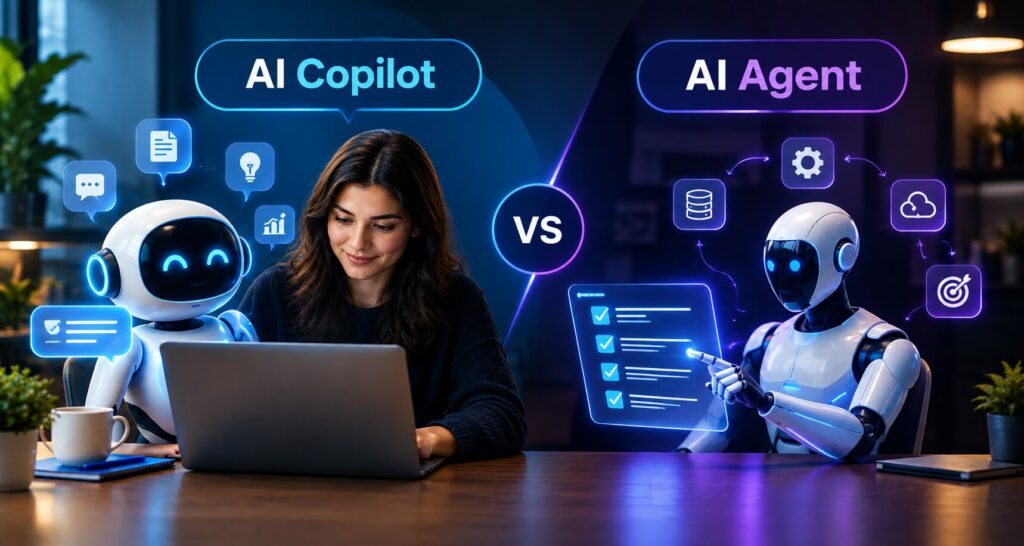
AI Agents vs AI Copilots
TL;DR
• AI copilots assist people; AI agents execute tasks.
• Copilots are best for human-led decision-making.
• Agents are best for structured, repeatable workflows.
• Copilots generally provide lower-risk AI assistance.
• Agents require permissions, monitoring, and guardrails.
• Businesses can use copilots and agents together.
• Start with simple workflows and measurable goals.
• Clean data and clear processes improve AI outcomes
Artificial intelligence is moving beyond simple chatbots and content-generation tools. Businesses are increasingly adopting AI systems that can assist employees, analyze information, automate repetitive processes, and even perform tasks across connected applications. Two of the most important concepts in this shift are AI agents and AI copilots.
Although these technologies are closely related, they serve different purposes. An AI copilot primarily works alongside people by providing suggestions, insights, summaries, recommendations, and content. An AI agent, on the other hand, is designed to pursue a defined goal and perform actions with a greater degree of autonomy.
Understanding the difference between AI agents and AI copilots can help businesses choose the right technology for their workflows. A company may need a copilot when employees still need to make important decisions, while an agent may be more appropriate for structured, repeatable processes that can be safely automated.
What Is an AI Copilot?
An AI copilot is an intelligent assistant designed to work alongside a human. It helps users complete tasks faster by providing relevant information, recommendations, drafts, summaries, or analysis.
For example, a sales copilot could analyze customer interactions and suggest a follow-up email. The salesperson can review, edit, and approve the message before sending it.
Similarly, a marketing copilot could help generate campaign ideas, summarize performance data, or create content drafts. The marketing team remains responsible for reviewing the output and deciding what should be published.
Common AI Copilot Use Cases
Businesses can use AI copilots for:
- Content creation and editing
- Sales and CRM assistance
- Customer-support response suggestions
- Data analysis
- Software development
- Employee knowledge assistance
- Document summarization
- Research and reporting
- Marketing campaign planning
The biggest advantage of a copilot is human control. AI supports the employee without necessarily taking complete responsibility for the workflow.
What Is an AI Agent?
An AI agent is a more autonomous AI system designed to achieve a particular objective. Instead of simply suggesting what a user should do, an agent can potentially perform multiple actions using approved tools, APIs, databases, and business applications.
A simplified AI agent workflow looks like:
Goal → Understand → Plan → Act → Check → Continue or Escalate
For example, imagine a customer requests a refund. An AI agent could:
- Retrieve the customer’s order.
- Check the company’s refund policy.
- Verify whether the order qualifies.
- Process the refund if permitted.
- Update the customer record.
- Notify the customer.
- Escalate unusual cases to a human.
The key difference is that the agent is not only generating a recommendation. It is moving the workflow forward.
This makes AI agents particularly valuable for businesses looking for AI automation solutions, workflow optimization, and intelligent process execution.
AI Agents vs AI Copilots: Key Differences
The easiest way to understand the difference is to focus on assist vs act.
| Factor | AI Copilot | AI Agent |
| Primary role | Assists humans | Executes defined tasks |
| Autonomy | Low to moderate | Moderate to high |
| Human involvement | Usually continuous | Mainly for approvals or exceptions |
| Decision-making | Provides recommendations | Makes bounded decisions |
| Workflow | User-driven | Goal-driven |
| System access | Usually limited | Can use multiple connected tools |
| Best for | Productivity and decision support | Automation and execution |
| Risk | Generally lower | Requires stronger controls |
An AI copilot helps an employee do something. An AI agent can potentially do the task itself within predefined boundaries.
This distinction is consistent with the growing business discussion around agentic AI, where agents are being designed to gather context, make bounded decisions, interact with tools, and move workflows toward specific outcomes.
AI Copilot vs AI Agent: Simple Business Examples
Consider a customer-support department.
An AI copilot could read a customer’s previous conversations, summarize the problem, find relevant knowledge-base information, and draft a response.
An AI agent could identify the customer’s issue, check the account, verify eligibility, update the ticket, issue an approved refund, and notify the customer.
The copilot supports the employee.
The agent performs the workflow.
Another example is sales.
A sales copilot might:
- Summarize a lead’s history
- Recommend the next action
- Draft an email
- Analyze sales opportunities
A sales agent might:
- Qualify a lead
- Update the CRM
- Send an approved follow-up
- Schedule a meeting
- Trigger a sales workflow
This difference becomes particularly important when businesses evaluate AI agent development services versus AI copilot development solutions.
When Should Businesses Use an AI Copilot?
An AI copilot is generally the better option when human judgment remains important.
Businesses should consider a copilot when:
- Employees need AI-assisted decision-making.
- Tasks require creativity or expertise.
- Every output needs human approval.
- Workflows are not completely standardized.
- The business is beginning its AI adoption journey.
- AI needs to improve productivity rather than replace workflow execution.
- The cost of an incorrect autonomous action is high.
For example, a healthcare organization might use an AI copilot to summarize information for professionals while keeping the final decision with a qualified human.
A financial company could use a copilot to analyze reports and highlight unusual patterns while requiring a finance professional to make the final decision.
This makes AI development solutions particularly useful for organizations that want to introduce AI while maintaining strong human oversight.
When Should Businesses Use an AI Agent?
AI agents are more appropriate when a workflow is repeatable, measurable, and sufficiently structured.
Businesses should consider AI agents when:
- The process contains multiple steps.
- Employees repeatedly perform the same workflow.
- Business rules are clearly defined.
- Data is accessible and reliable.
- The agent can safely connect to required systems.
- Permissions can be controlled.
- Exceptions can be escalated to humans.
- Automation can produce measurable business value.
For example, an eCommerce company could use an AI agent to handle order-status requests. The agent could retrieve order information, determine the current shipment status, provide an update, and escalate delayed or unusual orders.
The objective should not be to automate everything. The objective should be to automate the right things.
AI Copilot vs AI Agent for Different Departments
Sales
Copilot: Provides lead insights, summarizes calls, and drafts follow-up emails.
Agent: Qualifies leads, updates CRM records, sends approved communications, and schedules meetings.
Customer Support
Copilot: Suggests responses and summarizes customer history.
Agent: Resolves predefined support requests, checks order information, updates tickets, and escalates complex issues.
Finance
Copilot: Summarizes financial reports and highlights potential anomalies.
Agent: Validates invoices, routes approvals, and sends payment reminders.
Human Resources
Copilot: Helps HR teams draft job descriptions and answer policy questions.
Agent: Coordinates onboarding tasks, sends reminders, and updates HR systems.
IT
Copilot: Suggests troubleshooting steps and summarizes incidents.
Agent: Performs approved password resets, access requests, ticket updates, and workflow routing.
These use cases demonstrate why businesses should evaluate the workflow first and the technology second.
AI Agents vs AI Copilots vs Chatbots
Businesses sometimes use the terms chatbot, copilot, and agent interchangeably, but there are important differences.
A chatbot primarily communicates with users and answers questions.
An AI copilot works alongside a person to improve productivity and decision-making.
An AI agent works toward a defined objective and can execute multiple actions.
For example:
- Chatbot: “Your order is currently in transit.”
- Copilot: “Your customer’s order is delayed. Here is a suggested response.”
- Agent: “I checked the order, identified the delay, updated the ticket, and sent the customer an approved notification.”
Traditional automation is another category. If a business simply needs an email to be sent whenever an order is shipped, traditional rule-based automation may be enough.
Not every problem needs an AI agent.
How Businesses Can Choose the Right Approach
Before investing in an AI solution, businesses should ask several questions.
1. Does the Task Require Human Judgment?
If yes, a copilot may be more appropriate.
2. Is the Workflow Repetitive?
If the workflow happens frequently and follows recognizable patterns, an agent could provide greater value.
3. Is the Data Reliable?
AI agents depend heavily on accurate information. Poor-quality data can result in poor decisions or incorrect actions.
4. Can the AI Safely Access Business Systems?
Agents may need access to CRMs, ERPs, helpdesk platforms, databases, payment systems, or internal applications.
5. What Happens When Something Goes Wrong?
Every agent should have defined escalation rules. High-risk or unusual situations should be transferred to a human.
6. Can Success Be Measured?
Businesses should define metrics such as:
- Time saved
- Cost reduction
- Resolution time
- Error reduction
- Customer satisfaction
- Employee productivity
- Workflow completion rate
Security and Governance Are Essential
AI agents require stronger governance because they can take actions.
Businesses should define:
- Role-based permissions
- Access controls
- Approval requirements
- Audit logs
- Human escalation
- Data protection policies
- Monitoring systems
- Testing procedures
An agent should never receive unlimited access simply because it is technically capable of performing an action.
For example, a finance agent might be allowed to validate an invoice but require human approval before making a large payment.
Similarly, a customer-support agent might be allowed to issue refunds below a specific threshold while escalating higher-value requests.
This approach allows companies to benefit from automation without removing necessary safeguards.
How AI Agents and Copilots Can Work Together
Businesses do not always need to choose between an AI agent and an AI copilot.
They can work together.
Consider a sales department. An AI copilot can help a salesperson understand a lead, analyze previous interactions, and prepare a proposal. Meanwhile, an AI agent can handle repetitive administrative work such as updating CRM fields, sending approved reminders, and scheduling meetings.
The same approach can work in customer service.
The copilot assists employees with complex customer cases, while agents handle simple and repetitive requests automatically.
This creates a human-AI collaboration model where each system performs the work it is best suited for.
Businesses exploring broader artificial intelligence development services can therefore design different AI capabilities for different stages of the same workflow.
A Practical AI Adoption Strategy
Businesses should avoid immediately giving AI complete autonomy.
A better approach is to start small.
Step 1: Identify Repetitive Work
Find processes where employees spend significant time searching, copying information, responding to repetitive requests, or updating systems.
Step 2: Start With a Copilot
Use AI to assist employees and understand where it provides measurable value.
Step 3: Standardize the Workflow
Document processes, define business rules, improve data quality, and establish approval requirements.
Step 4: Introduce Agents Selectively
Move suitable workflows toward autonomous execution when the risks are understood and controls are in place.
Step 5: Monitor Performance
Track accuracy, efficiency, errors, escalations, and user feedback.
This phased approach allows businesses to move from experimentation toward practical AI implementation.
The Future of AI Agents and AI Copilots
The distinction between copilots and agents will become increasingly important as AI systems become more integrated into business applications.
Copilots are likely to become more contextual and personalized, helping employees access information and make better decisions.
AI agents will increasingly focus on multi-step workflows, system integration, and task execution.
Businesses may ultimately use a combination of:
- AI chatbots
- AI copilots
- AI agents
- Traditional automation
- Human employees
The goal is not maximum autonomy. The goal is maximum useful business impact with appropriate control.
Conclusion
The difference between AI agents and AI copilots comes down to autonomy and responsibility.
An AI copilot works alongside a person. It provides information, recommendations, drafts, summaries, and decision support.
An AI agent works toward a defined goal and can execute tasks across connected systems within established boundaries.
Businesses should use copilots when human judgment, creativity, and approval remain central to the workflow. AI agents are better suited to structured, repeatable processes where actions can be safely automated.
The best strategy is not to ask whether AI agents are better than AI copilots. Instead, businesses should ask:
Which level of AI autonomy is appropriate for this particular workflow?
By starting with business objectives, improving data quality, defining clear processes, and implementing appropriate controls, organizations can use both copilots and agents to improve productivity, automate operations, and create measurable business value.
Frequently Asked Questions
What is the difference between AI agents and AI copilots?
AI copilots assist humans with recommendations, summaries, and content, while AI agents can perform tasks and execute defined workflows with greater autonomy.
When should a business use an AI copilot?
Businesses should use AI copilots when employees still need to make decisions, review outputs, or provide creative and strategic input.
When should a business use an AI agent?
AI agents are best for structured, repeatable, multi-step workflows where actions can be controlled through defined rules, permissions, and human escalation.
Are AI agents better than AI copilots?
Not necessarily. AI agents provide greater autonomy, but copilots are often better for workflows that require human expertise, creativity, judgment, or approval.
Can businesses use AI agents and AI copilots together?
Yes. Businesses can use copilots to support employees while agents automate repetitive tasks and execute predefined workflows in the background.