
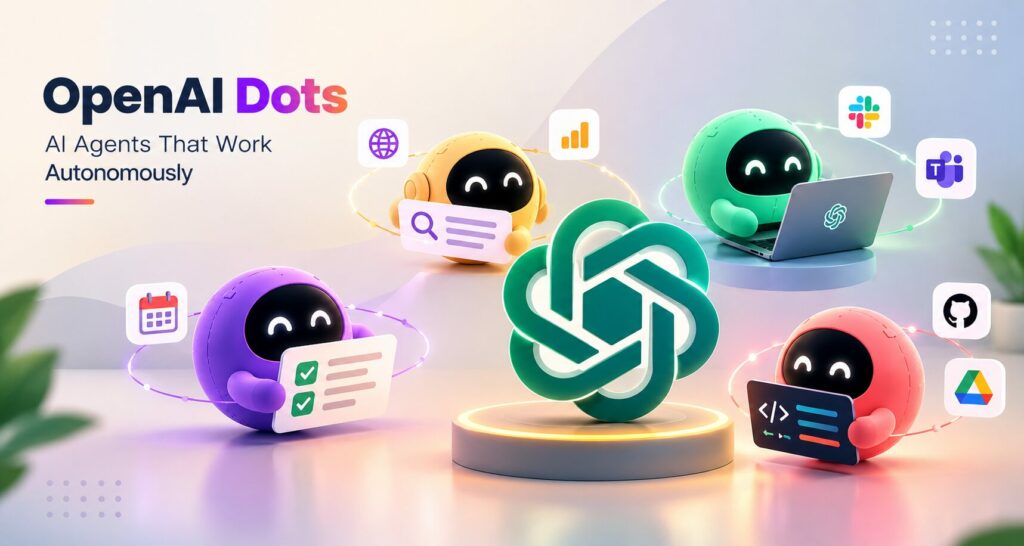
OpenAI Dots
TL;DR
• OpenAI has introduced Dots, a new generation of always-on AI agents.
• Dots are powered by GPT-6 Astra and designed to work toward user-defined goals.
• Unlike traditional chatbots, Dots can continue working in the background with less supervision.
• Dots can connect with apps and communicate through platforms such as ChatGPT, Slack, and Teams.
• OpenAI envisions multiple specialist Dots working together on complex projects.
Artificial intelligence is moving beyond the era of simple question-and-answer chatbots. The next stage is increasingly focused on AI systems that can understand goals, use tools, perform multiple steps, and continue working without requiring users to guide every action.
OpenAI is pushing this idea further with its new AI agent platform, Dots.
Dots are designed as always-on AI agents that can take responsibility for ongoing tasks and projects. Instead of waiting for a user to send a new prompt every time something needs to be done, a Dot can continue working toward a defined objective in the background.
OpenAI says Dots are powered by GPT-6 Astra and can use their own cloud computer, connect with thousands of applications through the company’s plugin ecosystem, and work across different communication surfaces.
The announcement represents another important shift in the development of AI agents: from assistants that respond to instructions toward systems that can actively pursue goals.
What Are OpenAI Dots?
OpenAI Dots are personal AI agents designed to handle ongoing responsibilities.
Traditional AI assistants generally operate around individual interactions. A user asks a question, the AI generates an answer, and the interaction ends. AI agents are different because they can be given an objective and then determine a series of actions needed to accomplish it.
Dots are designed around this more autonomous model.
OpenAI describes them as “always-on” agents that can work on behalf of users and help take important work off their plates. A Dot can be given a name and personalized, with the company envisioning multiple Dots eventually working together on behalf of a user.
This means the interaction model could change from:
Ask → Answer → Stop
to:
Goal → Plan → Act → Monitor → Improve → Report
That difference is significant.
Instead of asking an AI assistant to repeatedly perform individual tasks, users could assign responsibility for an entire workflow.
How Are Dots Different From Chatbots?
Chatbots are primarily conversational. They respond when users interact with them.
Dots are designed to be more proactive.
For example, imagine a software development team monitoring customer feedback. A traditional chatbot could summarize the feedback when asked. An agent could potentially monitor the feedback, identify recurring issues, investigate them, create code changes, run tests, and prepare the results for a developer to review.
OpenAI gives a similar example for Dots. A developer could assign a Dot to monitor customer feedback and work on smaller improvements and bug fixes, eventually bringing completed pull requests back for human review.
This illustrates an important distinction between generative AI and agentic AI.
Generative AI primarily creates outputs.
Agentic AI can use those outputs as part of a larger process involving tools, decisions, actions, and feedback.
Dots are positioned toward the second model.
Dots Are Designed to Work in the Background
One of the most interesting aspects of Dots is their ability to continue working without requiring constant user interaction.
OpenAI says Dots can work toward user goals 24/7 and have their own cloud computer. Users can continue giving them tasks and ideas while the Dot works on other projects.
This could make AI useful for workloads that are difficult to complete in a single conversation.
Consider a research project.
A user could ask an AI agent to monitor new information, organize findings, compare new results with earlier work, and identify unusual developments. Rather than restarting the process every day, an autonomous agent could continue monitoring the project.
For businesses, the same concept could apply to:
• Customer feedback monitoring
• Competitive research
• Software testing
• Sales research
• Data analysis
• Content workflows
• Reporting
• Internal knowledge management
• Business process automation
• Software development
The value is not simply that the AI can generate information. The value is that the AI can remain responsible for a workflow.
OpenAI Dots and Software Development
Software development is one of the clearest areas where autonomous AI agents could become useful.
Developers already use AI coding assistants to generate code, explain errors, write tests, and debug applications. Agentic systems take this further by allowing AI to work across multiple stages of the development process.
A Dot could potentially be assigned a recurring responsibility such as monitoring customer feedback for software issues.
The workflow might look like this:
Customer feedback → Issue detection → Investigation → Code changes → Testing → Pull request → Human review
The developer does not necessarily need to manually initiate every stage.
OpenAI’s own example describes a Dot that monitors customer feedback, scopes smaller improvements and bug fixes, builds and tests them, and delivers completed pull requests for review.
This could allow developers to spend more time on architecture, product decisions, complex engineering problems, and creative work while AI agents handle repetitive development tasks.
However, human review remains important, particularly when an agent can modify production software or access sensitive systems.
Dots Could Change Business Automation
The broader significance of Dots may be their potential impact on business automation.
Traditional automation typically follows predefined rules.
For example:
If customer submits form → Send email → Create CRM record → Notify sales team
This works well when the process is predictable.
AI agents introduce another possibility:
Understand the goal → Analyze the situation → Select tools → Decide next actions → Complete the workflow
That approach is more flexible because the agent can potentially adapt to changing conditions.
For example, an AI sales agent could research a prospect, analyze previous interactions, prepare a personalized briefing, update CRM information, and notify the sales representative when a human decision is required.
This is one reason AI agent development is becoming an important part of enterprise automation.
For businesses interested in building similar systems, AI agent development can combine large language models, APIs, databases, enterprise software, workflow engines, security controls, and human approval systems.
Specialist Dots Could Become Even More Important
OpenAI is also exploring specialist Dots designed for specific responsibilities.
Rather than having one general-purpose agent perform everything, organizations could eventually deploy several specialized agents.
For example:
Research Dot
Monitors industry developments and prepares research summaries.
Developer Dot
Handles coding tasks, testing, and bug investigations.
Marketing Dot
Analyzes campaigns, prepares content, and monitors performance.
Data Dot
Runs recurring analysis and identifies unusual patterns.
Support Dot
Reviews customer issues and helps resolve routine requests.
This model resembles a digital workforce made up of specialized AI workers.
OpenAI says specialist Dots can have their own identities, credentials, access-management controls, provisioned hardware, and deeper integrations with organizational systems.
The long-term vision is therefore not necessarily one AI agent doing everything.
It could be a network of agents with different responsibilities.
Multiple AI Agents Working Together
OpenAI has also suggested a future where teams of Dots work together.
This is particularly interesting because many real-world projects require different types of expertise.
A product development project, for example, could involve:
- A research agent analyzing market needs.
- A product agent defining requirements.
- A design agent preparing interface concepts.
- A development agent building features.
- A testing agent checking the application.
- A reporting agent tracking progress.
Humans could remain responsible for high-level decisions while agents handle parts of the execution process.
This could lead to a new model of human-AI collaboration.
Instead of thinking of AI as a single assistant, organizations may increasingly think of AI as a collection of specialized digital workers.
How Dots Could Help Researchers
Software developers are not the only potential users.
OpenAI has also described a scientific research scenario in which a Dot could rerun analysis and investigate unexpected results as experimental data becomes available.
This type of workflow could be particularly useful for research environments where new information arrives continuously.
A research agent could potentially:
• Monitor incoming datasets
• Run predefined analyses
• Compare new results with previous experiments
• Identify anomalies
• Search relevant information
• Prepare reports
• Flag important findings for researchers
The researcher would still need to validate conclusions, especially in scientific, medical, financial, or other high-stakes environments.
But automating repetitive analysis could give researchers more time to focus on interpretation and discovery.
Dots Can Work Across Different Platforms
Another important part of the Dots concept is accessibility.
OpenAI says Dots can be reached through ChatGPT, Slack, and Teams, while voice interaction is also supported.
This matters because enterprise users do not want to constantly switch between different AI applications.
If an AI agent can operate within the tools teams already use, it becomes easier to integrate AI into existing workflows.
Imagine a developer receiving a message in Slack that an issue has been detected.
Instead of opening a separate AI application, the developer could communicate with the relevant Dot directly through the team’s existing communication environment.
This makes the agent feel less like another software application and more like a member of the digital workflow.
The Importance of AI Agent Security
Greater autonomy also creates greater risk.
When an AI system can access applications, credentials, files, websites, or business systems, mistakes can have consequences beyond an incorrect chatbot answer.
An autonomous agent could potentially:
• Access the wrong information
• Misinterpret instructions
• Make an incorrect decision
• Follow malicious instructions
• Expose sensitive data
• Take an unintended action
• Modify software incorrectly
This means AI agent security needs to become a core part of agent development.
Permission management is particularly important.
An agent should not automatically have access to everything a human user can access.
Organizations may need granular controls that define:
What can the agent see?
What can the agent change?
Which actions require approval?
Which systems can it access?
How are actions monitored?
OpenAI says Dots include security safeguards designed to defend against malicious instructions and monitor potentially harmful behavior. The company says a Dot can be paused or stopped if monitoring detects a safety concern.
This type of control will become increasingly important as autonomous systems become more capable.
Human Oversight Still Matters
The rise of autonomous AI does not necessarily mean humans disappear from workflows.
Instead, the role of humans may change.
Rather than performing every repetitive action themselves, employees may define goals, establish permissions, review important decisions, and intervene when something goes wrong.
For example, an AI agent could prepare a software update, but a developer approves the final deployment.
A research agent could identify an unexpected result, but a scientist determines whether the finding is meaningful.
A sales agent could prepare a proposal, but a sales representative approves it before it reaches the customer.
This creates a model of AI autonomy with human oversight.
That balance could become one of the defining principles of enterprise AI adoption.
What OpenAI Dots Mean for the Future of AI
Dots are important because they reflect a broader change happening across the AI industry.
The industry is moving from:
AI that answers
toward:
AI that acts.
This does not mean every task should be delegated to an autonomous agent.
Some tasks require human judgment, accountability, creativity, empathy, or specialized expertise.
But many business processes involve repetitive actions that can potentially be delegated.
As AI models become more capable of reasoning, using tools, interacting with software, and remembering context, the potential for autonomous workflows grows.
Dots are one example of where this trend could lead.
The bigger opportunity may be the development of AI-native businesses where software is designed around intelligent agents from the beginning rather than adding AI as an extra feature.
AI Agents Could Become the New Interface
One of the most interesting long-term possibilities is that users may stop thinking about individual applications.
Today, people often think in terms of software:
“I need a CRM.”
“I need a project management application.”
“I need an analytics dashboard.”
“I need a research tool.”
With AI agents, the interaction could become more goal-oriented:
“Find my most important customer issues.”
“Prepare this week’s sales report.”
“Investigate why conversions dropped.”
“Build a prototype based on these requirements.”
The agent could decide which applications and tools are needed to accomplish the task.
This could change how people interact with software.
Instead of learning dozens of applications, users may increasingly communicate their objectives to AI systems that operate across those applications.
What Businesses Should Learn From Dots
The launch of Dots provides several lessons for businesses considering AI adoption.
1. Start With Workflows
Companies should identify repetitive workflows before choosing an AI technology.
The goal should not simply be “use AI.”
The better question is:
Which process can AI improve?
2. Use AI Where Autonomy Creates Value
Not every workflow requires an autonomous agent.
AI agents are most useful when tasks involve multiple steps, changing information, tool usage, and recurring decisions.
3. Build Security Into the Architecture
Permissions, monitoring, authentication, logging, data protection, and human approvals should be considered from the beginning.
4. Keep Humans in Critical Loops
High-impact actions should often require human approval.
5. Measure Business Results
AI adoption should be measured through outcomes such as time saved, productivity, customer satisfaction, cost reduction, accuracy, and revenue impact.
The Future of Autonomous AI Agents
OpenAI Dots represent a growing shift toward AI systems that do more than generate responses.
They point toward a future where AI agents can maintain context, use tools, work across applications, handle recurring responsibilities, and collaborate with other agents.
The technology is still developing, and important questions remain around security, reliability, accountability, privacy, cost, and human control.
Nevertheless, the direction is clear.
AI is gradually moving from a tool that people actively operate toward a system that can operate on people’s behalf.
For developers, this creates opportunities to build new types of applications around autonomous workflows.
For businesses, it creates opportunities to rethink how work gets done.
And for users, it could eventually mean spending less time managing software and more time defining what they actually want to accomplish.
OpenAI Dots are therefore more than another AI assistant. They represent a broader vision of agentic computing—where intelligent software can continuously work toward goals instead of waiting for the next prompt.
The success of this approach will ultimately depend on how reliably these systems can act, how safely they can access real-world tools, and how effectively humans can remain in control.
If those challenges can be addressed, always-on AI agents could become an important part of the next generation of software.
Final Takeaway
OpenAI Dots signal another major step in the evolution of AI agents. Instead of simply answering prompts, these systems are being designed to take responsibility for ongoing work.
As autonomous AI becomes more capable, the biggest opportunity may not be creating better chatbots—it may be building intelligent digital workers that can safely operate across the software people already use.
The next phase of AI could therefore be less about asking “What can AI tell me?” and more about asking “What work can AI take care of for me?”
Frequently Asked Questions
What are OpenAI Dots?
OpenAI Dots are always-on AI agents designed to work toward user-defined goals and handle ongoing tasks with less continuous supervision.
What powers OpenAI Dots?
OpenAI says Dots are powered by GPT-6 Astra and have access to their own cloud computer and connected applications.
How are Dots different from ChatGPT?
ChatGPT primarily responds to user interactions, while Dots are designed to continue working toward goals and responsibilities in the background.
Can Dots work with other applications?
Yes. OpenAI says Dots can connect with applications through its plugin ecosystem and can be reached through platforms including ChatGPT, Slack, and Teams.
Can businesses use OpenAI Dots?
OpenAI has positioned Dots for both individual and business use, including software development, research, automation, and specialized organizational responsibilities. Availability depends on plan and market.