
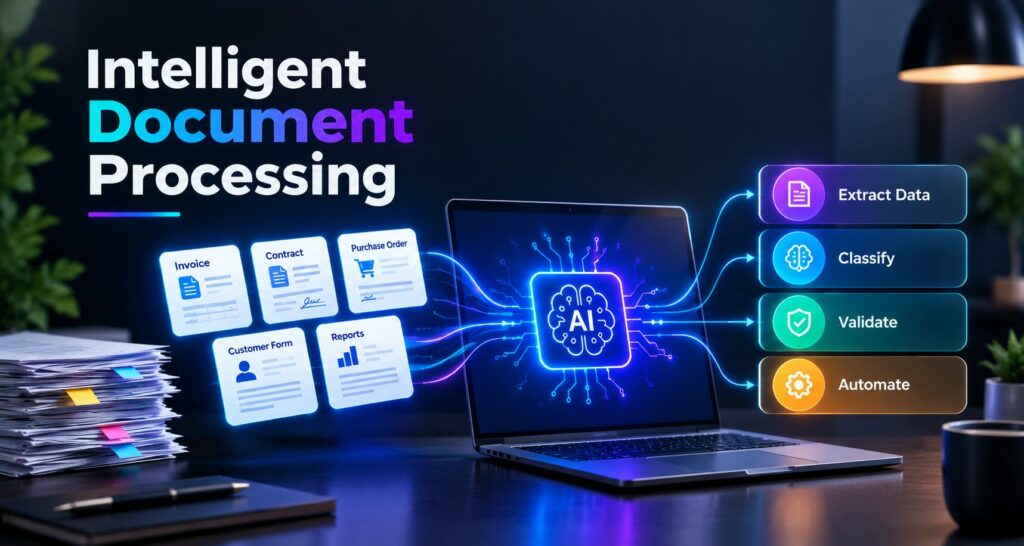
Intelligent Document Processing
TL;DR
• Intelligent Document Processing uses AI, OCR, and machine learning.
• Automates document extraction, classification, and validation.
• Reduces manual work and processing errors.
• Speeds up invoice processing and customer onboarding.
• Improves enterprise workflow efficiency.
• Supports secure, scalable document automation.
• Generative AI and AI agents expand IDP capabilities.
Businesses generate and process large volumes of documents every day, including invoices, contracts, purchase orders, customer forms, insurance claims, and financial reports. Managing this information manually can slow down operations, increase administrative costs, and introduce errors. As organizations look for more efficient ways to manage information, Intelligent Document Processing (IDP) is becoming an important part of enterprise automation.
Intelligent Document Processing combines artificial intelligence (AI), optical character recognition (OCR), machine learning, and natural language processing (NLP) to extract, classify, interpret, and validate information from structured and unstructured documents. Unlike traditional document scanning, IDP can understand different document formats and support more flexible workflows.
For businesses exploring AI automation and custom software development, IDP offers opportunities to reduce repetitive tasks, improve data accessibility, and help employees focus on higher-value activities.
What Is Intelligent Document Processing?
Intelligent Document Processing is an AI-powered technology that converts information contained in documents into structured, usable data. It can process PDFs, scanned files, images, emails, forms, and other business records without requiring every document to follow the same template.
Traditional OCR converts printed or handwritten text into machine-readable text. IDP goes further by identifying important fields, understanding relationships between data points, classifying document types, and routing extracted information to the appropriate business application.
For example, when an enterprise receives an invoice, an IDP solution can identify the supplier name, invoice number, date, tax amount, and total value. It can then compare the extracted details against purchase orders and send validated information to an accounting or enterprise resource planning (ERP) system.
Microsoft Azure Document Intelligence is one example of a technology that supports document text, table, structure, and key-value extraction. This illustrates how document intelligence can become part of broader enterprise applications.
How Intelligent Document Processing Works
An IDP workflow typically involves five connected stages.
1. Document Capture and Ingestion
The process begins by collecting documents from email attachments, cloud storage, document management systems, enterprise applications, scanners, and online forms. A centralized ingestion process helps organizations handle multiple file types through a consistent workflow.
2. Text Recognition and Data Extraction
OCR converts text from scanned documents and images into machine-readable content. AI-based extraction models then identify relevant fields, tables, dates, names, amounts, and other important information.
Modern solutions can handle variations in document layouts, making them more adaptable than systems that depend entirely on fixed templates.
3. Document Classification
Machine learning models classify documents according to their content and purpose. For example, an incoming file can be identified as an invoice, contract, bank statement, application form, or insurance claim.
This classification determines which processing rules and business workflows should apply to each document.
4. Contextual Understanding and Validation
Natural language processing and other AI techniques help interpret extracted information and relationships between fields. Validation rules can check whether required fields are present, totals match, and extracted information agrees with connected business records.
Uncertain results can be routed to employees for review.
5. Workflow Integration and Automation
Once information is validated, the IDP platform can send it to business applications, trigger approvals, update databases, create tasks, or notify relevant teams.
Organizations developing enterprise AI solutions can combine document processing with API integration and workflow automation to connect document understanding with operational outcomes.
7 Ways Intelligent Document Processing Is Transforming Enterprise Workflows
1. Automating Repetitive Administrative Tasks
Many enterprise teams spend hours entering information from documents into spreadsheets, accounting systems, customer databases, and internal applications. These activities consume time that could be spent on analysis, customer relationships, and strategic work.
IDP automates much of this routine work by extracting information and transferring it into the appropriate systems. Employees can focus on exceptions and decisions instead of manually handling every document.
For example, an accounts payable team can automate invoice capture and data entry while retaining human approval for unusual amounts or mismatched purchase orders.
AI-powered business process automation demonstrates how document processing fits into the wider field of enterprise AI.
2. Improving Data Accuracy and Consistency
Manual document processing can lead to typographical errors, duplicate entries, missing fields, and inconsistent records. These issues may affect reporting, payments, compliance, and customer service.
IDP can improve consistency by applying standardized extraction and validation rules across large document volumes. AI models can identify potential errors, while business rules verify critical values before the data moves forward.
However, automated extraction is not always correct. Document quality, handwriting, unfamiliar layouts, and ambiguous information can affect results. Confidence scoring, validation checks, and human review remain important for sensitive or high-impact decisions.
3. Accelerating Invoice and Financial Processing
Finance departments handle invoices, receipts, expense claims, payment requests, tax documents, and financial statements. Processing these records manually can create bottlenecks, particularly when several systems and approval stages are involved.
IDP can extract invoice details, match them with purchase orders, identify duplicate submissions, and route exceptions to the appropriate team. Integration with accounting and ERP platforms helps reduce repeated data entry and improves visibility into outstanding transactions.
Organizations considering custom enterprise software development can evaluate how document extraction and financial workflow automation might fit their existing business systems.
4. Enhancing Customer Onboarding
Banks, insurance providers, healthcare organizations, and other service businesses often require customers to submit identity documents, applications, proof of address, financial records, and supporting forms.
Intelligent Document Processing can classify these documents, extract required details, check whether information is missing, and route incomplete applications for follow-up.
When integrated with customer relationship management (CRM) and onboarding platforms, IDP can support smoother digital experiences. Identity verification and eligibility decisions should still use appropriate security controls and authorized review processes.
Document intelligence platforms also provide prebuilt models for processing common document types, helping businesses explore automated document analysis.
5. Strengthening Contract and Compliance Management
Enterprises manage contracts, legal agreements, regulatory filings, audit records, and policy documents. Locating specific information across large document collections can be time-consuming and create operational risks.
IDP can identify contract parties, renewal dates, payment terms, obligations, clauses, and other key details. It can classify documents, extract relevant information, and make records easier to search and review.
For compliance teams, automated document handling can support audit preparation, record organization, and monitoring workflows. Organizations must still ensure that extraction results are verified and that retention policies, access permissions, and applicable regulations are followed.
6. Connecting Disconnected Enterprise Systems
Document processing often involves disconnected tools, including email platforms, document repositories, ERP software, CRM systems, and finance applications. Employees may need to copy the same information between multiple systems to complete a single task.
IDP helps connect these activities through APIs, workflow engines, and enterprise integrations. Once information is extracted and validated, it can automatically update the relevant system or trigger the next step in a business process.
Companies investing in AI development and custom software solutions can assess how document processing can integrate with existing applications instead of creating another isolated tool.
7. Supporting Data-Driven Business Decisions
Documents contain valuable business information, from supplier pricing and customer requests to financial trends and operational commitments. When that information remains trapped in PDFs, scans, and emails, it is difficult to analyze at scale.
IDP converts document content into structured data that can be stored, searched, and analyzed. Enterprises can use this information to identify recurring issues, monitor processing times, understand supplier activity, and improve operational reporting.
When combined with machine learning and AI agents, structured document data can support more advanced enterprise workflows. Organizations should introduce these capabilities with suitable monitoring, validation, and access controls.
Key Benefits of Intelligent Document Processing for Enterprises
The value of IDP extends beyond faster data extraction. When implemented strategically, it can improve the efficiency and reliability of document-driven operations.
- Higher productivity: Reduces repetitive manual data entry and document sorting.
- Faster workflows: Helps accelerate invoice approvals, onboarding, and claims processing.
- Improved data quality: Combines automated extraction with validation and exception handling.
- Lower operational overhead: Reduces repetitive work and the need for manual reprocessing.
- Better scalability: Supports increasing document volumes without a proportional increase in manual effort.
- Stronger auditability: Helps track document handling, corrections, and approval activities.
- More accessible information: Converts document content into searchable, structured data for business applications.
Intelligent Document Processing solutions can help organizations design document automation architectures that connect AI extraction with business applications.
Challenges Enterprises Should Consider
Data Privacy and Security
Business documents may contain confidential financial information, customer details, employee records, or sensitive contractual data. Organizations should implement encryption, role-based access controls, secure storage, and appropriate data-retention policies.
Integration With Legacy Systems
Some enterprises rely on older applications that lack modern APIs or standardized data formats. Connecting IDP with these systems may require custom integrations, middleware, or additional workflow development.
Document Quality and Extraction Accuracy
Low-resolution scans, handwritten text, unusual layouts, and inconsistent formatting can affect extraction results. Enterprises should test solutions against representative documents and establish confidence thresholds for automated processing.
Employee Adoption and Change Management
Automation can change how teams handle documents and approvals. Employees need training, clear escalation procedures, and an understanding of when human intervention is necessary.
Governance and Compliance
Automated document processing must align with applicable privacy regulations, industry requirements, and internal policies. Organizations should maintain audit trails, monitor model performance, and regularly review automated decisions.
Addressing these challenges early helps businesses build a more reliable and sustainable document automation strategy.
How to Implement Intelligent Document Processing Successfully
Enterprises can adopt IDP through a phased implementation strategy rather than attempting to automate every document workflow at once.
- Identify high-volume processes. Start with repetitive tasks such as invoice processing, employee onboarding, or customer application handling.
- Assess document types and quality. Review the formats, languages, layouts, and variations the system must support.
- Choose the appropriate technology. Evaluate OCR, AI extraction, classification, workflow automation, and integration capabilities against business requirements.
- Run a pilot project. Test the solution on representative documents before expanding to additional departments.
- Integrate business systems. Connect validated information to ERP, CRM, finance, or document management platforms.
- Establish human review. Define confidence thresholds and exception-handling procedures for uncertain or sensitive cases.
- Measure and optimize performance. Track extraction accuracy, processing time, exception rates, cost per document, and employee productivity.
Businesses planning these initiatives can explore AI development services and relevant AI technology updates to learn more about the technologies and implementation approaches shaping intelligent automation.
The Future of Intelligent Document Processing
The future of Intelligent Document Processing is moving toward deeper integration with generative AI, large language models (LLMs), multimodal AI, and autonomous workflow systems.
Traditional IDP focuses primarily on capturing, classifying, extracting, and validating document information. Emerging approaches can also summarize lengthy contracts, answer questions about document collections, compare information across multiple files, and help determine the next step in a business process.
For example, an AI-enabled procurement workflow could extract details from supplier invoices, compare them with purchase orders, identify discrepancies, summarize the issue, and route the case to the appropriate employee.
AI agents may further coordinate these activities across connected enterprise applications. However, autonomous actions require appropriate permissions, reliable validation, monitoring, and human oversight—particularly when financial transactions, regulated information, or contractual commitments are involved.
Organizations can follow AI agents and enterprise automation developments to stay informed about emerging capabilities. Businesses planning to implement these technologies can also research software and AI development offerings to identify suitable implementation partners.
Conclusion
Intelligent Document Processing is transforming how enterprises manage information by combining AI-powered document understanding with data extraction, validation, and workflow automation. From finance and customer onboarding to compliance and contract management, IDP helps organizations reduce repetitive work, improve data consistency, and make document-driven processes more efficient.
Successful adoption requires more than selecting an AI tool. Businesses must also consider data security, system integration, document quality, human oversight, and measurable business outcomes.
As generative AI and intelligent automation continue to evolve, Intelligent Document Processing will play an increasingly important role in connecting enterprise information with practical business actions. Organizations that approach implementation strategically can build more scalable, responsive, and data-driven workflows.
Frequently Asked Questions
What is Intelligent Document Processing (IDP)?
Intelligent Document Processing uses AI, OCR, and machine learning to extract, classify, and validate information from business documents.
How does Intelligent Document Processing work?
IDP captures documents, extracts text, classifies content, validates information, and transfers data into business systems.
What are the benefits of Intelligent Document Processing?
Key benefits include faster processing, reduced manual work, improved data accuracy, lower operational costs, and better workflow efficiency.
Which industries use Intelligent Document Processing?
Industries such as banking, healthcare, insurance, retail, logistics, and manufacturing use IDP to automate document-heavy processes.
How is AI transforming Intelligent Document Processing?
AI and generative AI help IDP understand complex documents, summarize information, identify inconsistencies, and support more advanced workflow automation.